Preview and Test Before Going Live
Preview and test your widget to ensure its appearance and functionality are correct before going live.
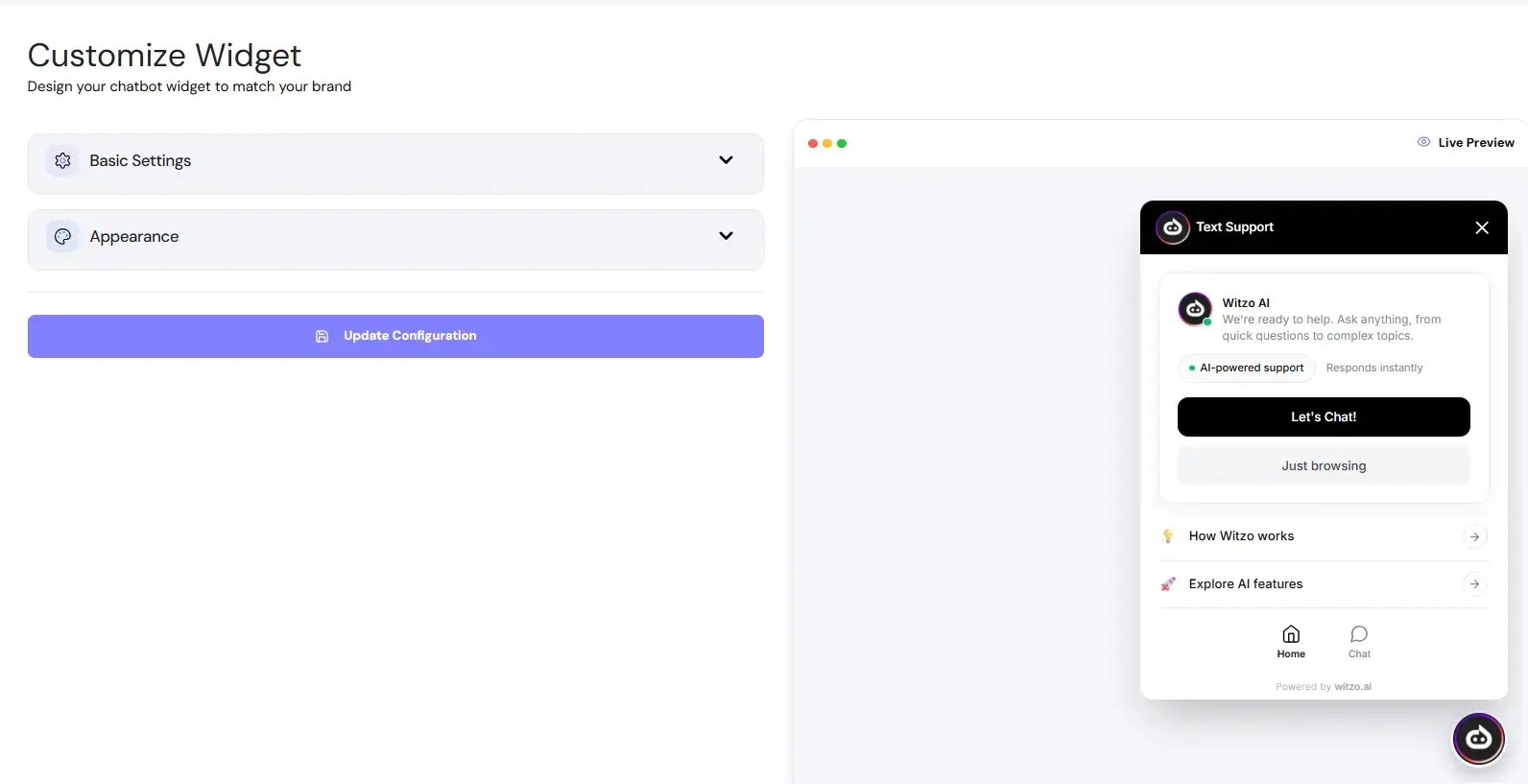
Dashboard Preview
The Widget Customization panel includes a built-in preview area.
Use it to verify:
| Check |
|---|
| Colors |
| Assistant name |
| Logo display |
| Welcome message |
Mobile Testing
Before going live:
| Step | Action |
|---|---|
| 1 | Install the embed script on a staging page. |
| 2 | Open the page on a mobile device. |
| 3 | Test tap behavior and screen spacing. |
| 4 | Send a sample message. |
| 5 | Check for layout overlap or scrolling issues. |
Branding Consistency Checks
Before publishing:
- Match widget color to your brand palette.
- Ensure logo resolution is clear.
- Confirm assistant tone aligns with your brand voice.
- Test on both light and dark site backgrounds.
UX Best Practices
- Keep welcome messages under two sentences.
- Avoid excessive emojis or long greetings.
- Use a human-like assistant name.
- Ensure the widget does not block important buttons.
- Test across desktop and mobile devices.