Install Witzo on Shopify
Insert the embed code in theme.liquid before </body> and confirm the widget is deployed successfully.
Steps to Install
| Step | Action |
|---|---|
| 1 | Go to Dashboard -> Widget Customization -> Copy your embed script. |
| 2 | Log in to Shopify Admin. |
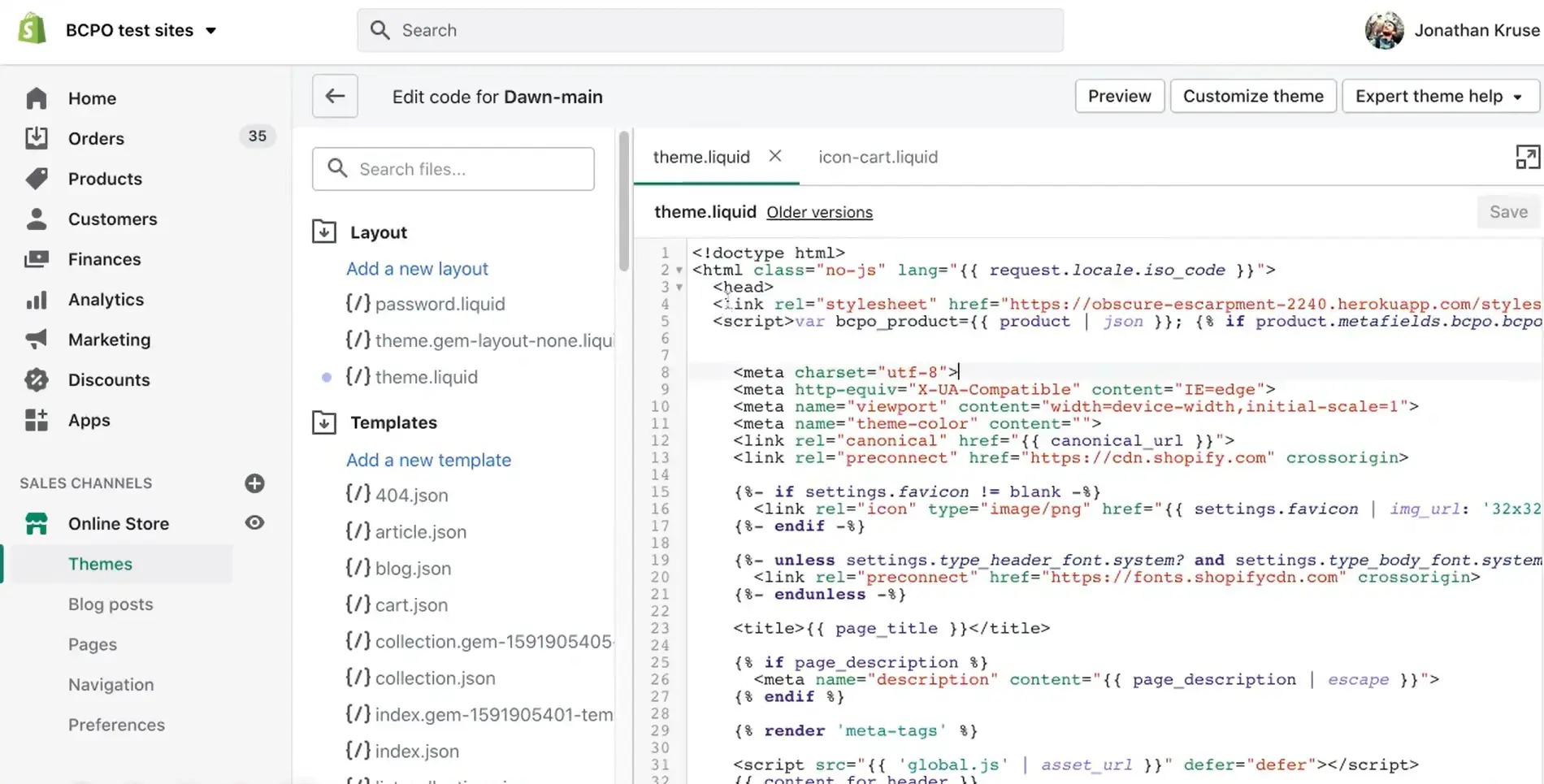
| 3 | Go to Online Store -> Themes. |
| 4 | Click "Edit code" on your active theme. |
| 5 | Open theme.liquid. |
| 6 | Scroll to the bottom of the file. |
| 7 | Paste the script just before </body>. |
| 8 | Click Save. |
Verifying Deployment
| Step | Action |
|---|---|
| 1 | Visit your live store. |
| 2 | Confirm widget appears. |
| 3 | Open browser console and check for errors. |
| 4 | Send a test message. |
| 5 | Verify response in Dashboard -> Conversations. |
Important Notes
Script must be added to the active theme.
If you change themes, repeat installation.
Clear Shopify theme cache by refreshing or previewing again.