Install on Custom HTML or Framework Sites
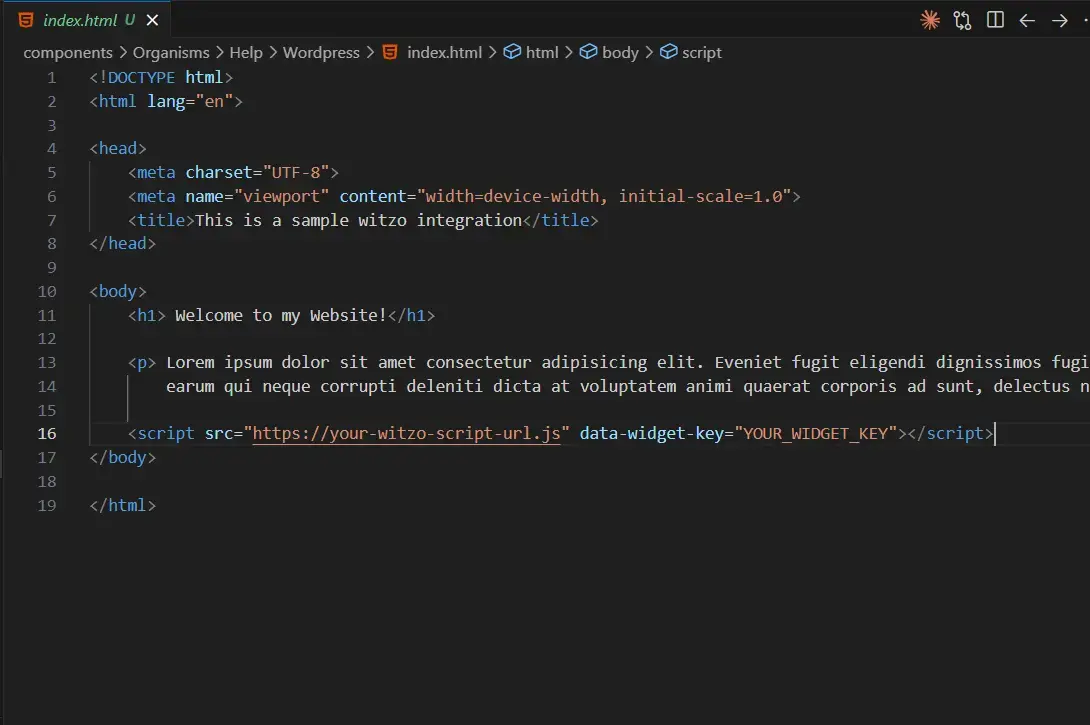
Insert the embed code before the closing </body> tag in your layout file for proper deployment.
Script Placement
Add the embed script to your main layout file:
| Action |
|---|
Static HTML: Add before </body> |
| PHP templates: Add in footer include |
| Framework layouts: Add in global layout component |
Example:
<script src="https://your-witzo-script-url.js" data-widget-key="YOUR_WIDGET_KEY"></script>
SPA Considerations (Single Page Applications)
If using SPA frameworks:
| Step | Action |
|---|---|
| 1 | Ensure script loads once globally. |
| 2 | Do not re-initialize on every route change. |
| 3 | Avoid dynamic injection on page transitions. |
React / Next.js Notes
| Action |
|---|
Add script in _document.js (Next.js) before </body>. |
Or use <Script> component with strategy="afterInteractive". |
| Avoid placing inside individual components. |
Important Notes
Script must load after page DOM is available.
If using strict Content Security Policy, allow Witzo script domain.